
If you drive less than 500 private kilometers per year in a company car, you can sign the “ Declaration of no private use of car ” via the Tax and Customs Administration. By signing this, you declare that the car is primarily used for business purposes and that you will not drive more than 500 private kilometers per year, meaning you do not have to pay any taxable benefit on the car. We will tell you how to apply for the declaration and what you need to keep in mind.
1. Go to the Tax Authorities website via this link.
2. Click on the form “Declaration of no private use of car: request”.
3. Log in with your DigiD details.
4. Enter your details here.
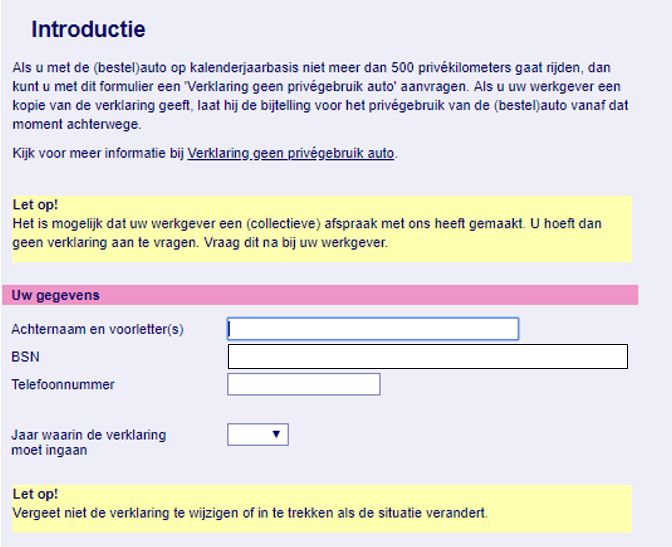
5. After filling in the form, click on agree and then log in again with your DigiD details to finalize the application.
6. Now that the application is final and has been sent, you will receive confirmation from the Tax and Customs Administration by post, along with more information about the signed declaration and about keeping a mileage log.
7. Provide a copy of the declaration to your employer so that the tax addition for private use of the car is waived.
Please note: From now on, you must keep a mileage log.
Because you have declared that you will not use the company car for private purposes, you must be able to prove this. But how do you do this? The answer is by means of a trip log. This entails keeping a record of all trips you drive in the company car. For each trip, you must record, among other things, the time, address with house number, and more . Keeping track of this manually in the car is a time-consuming task with a high risk of errors or forgetting a trip. A GPS trip logging system offers the solution. This system is installed in the car and automatically tracks all trips you drive. You have an online environment and app where you can view, edit, and then download all trips. You can read more about a GPS trip logging system here.
